Start Free Get a Demo

Revyl Atlas report

Airbnb app screen map and user flows

Revyl Atlas mapped 23 iOS app screens, 26 transitions, 13 user paths, and 229 UI elements in Airbnb. Use this report for mobile UX research, QA coverage planning, competitive teardown work, and AI agent navigation context.

23Screens
26Transitions
13User paths
229UI elements

Research uses

What this Airbnb app map helps teams inspect

UX teardown Compare how Airbnb moves users through entry screens, decision points, modals, detail pages, and conversion paths.
QA coverage Use the mapped screens and transitions to identify high-risk branches, repeated states, dead ends, and screens that need regression coverage.
Agent context Give mobile automation agents a concrete screen inventory and path list instead of asking them to infer navigation from scratch.

Key journeys

Airbnb mobile app user flows

01 path 3 screens

Explore — Logged Out (Home tab) to Experience Detail — Painted Lady

Airbnb's explore — logged out (home tab) to experience detail — painted lady flow moves users from Explore — Logged Out (Home tab) to Experience Detail — Painted Lady across 3 mapped iOS app screens. Use this path for mobile UX teardown work, QA coverage planning, and AI agent navigation context.
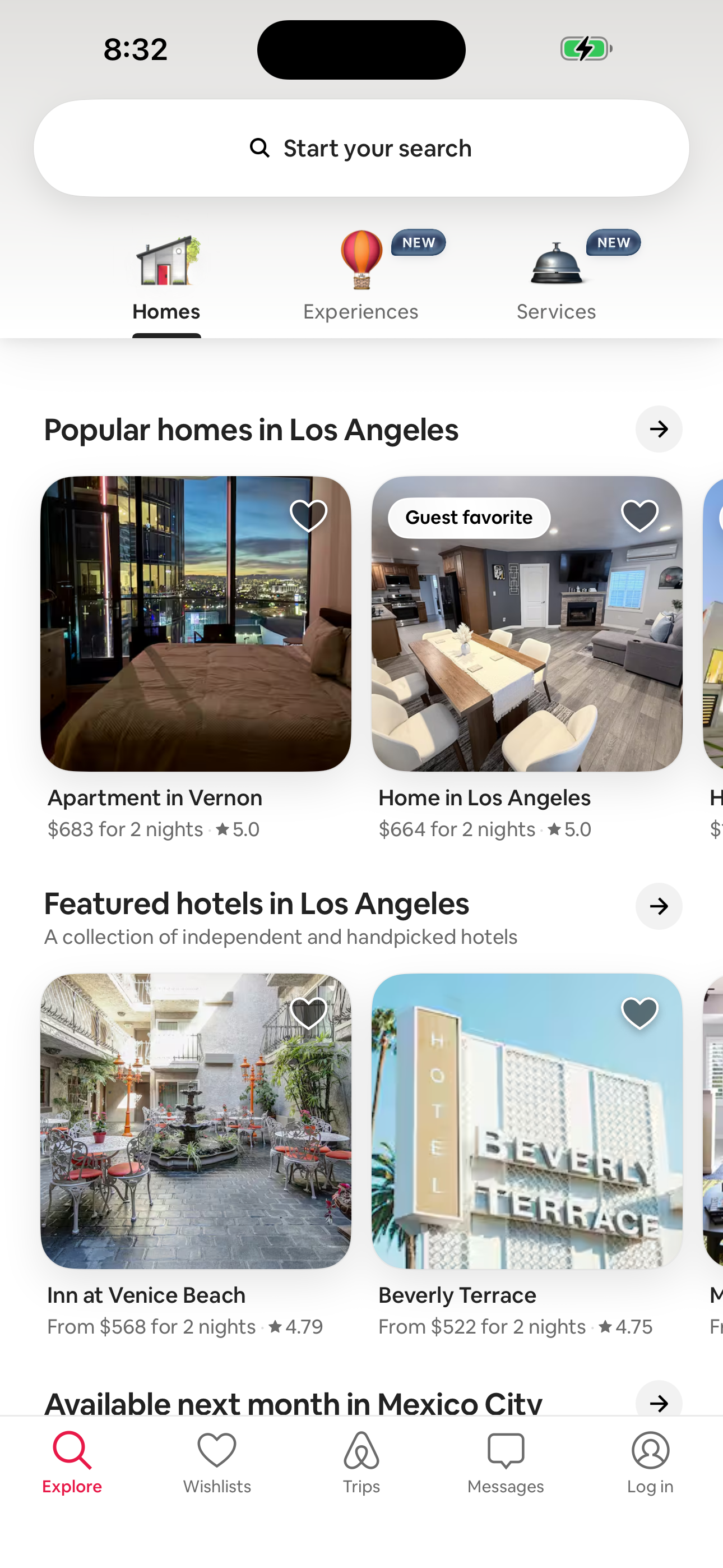
Airbnb Explore — Logged Out (Home tab) screen in Explore — Logged Out (Home tab) to Experience Detail — Painted Lady flow
Explore — Logged Out (Home tab)
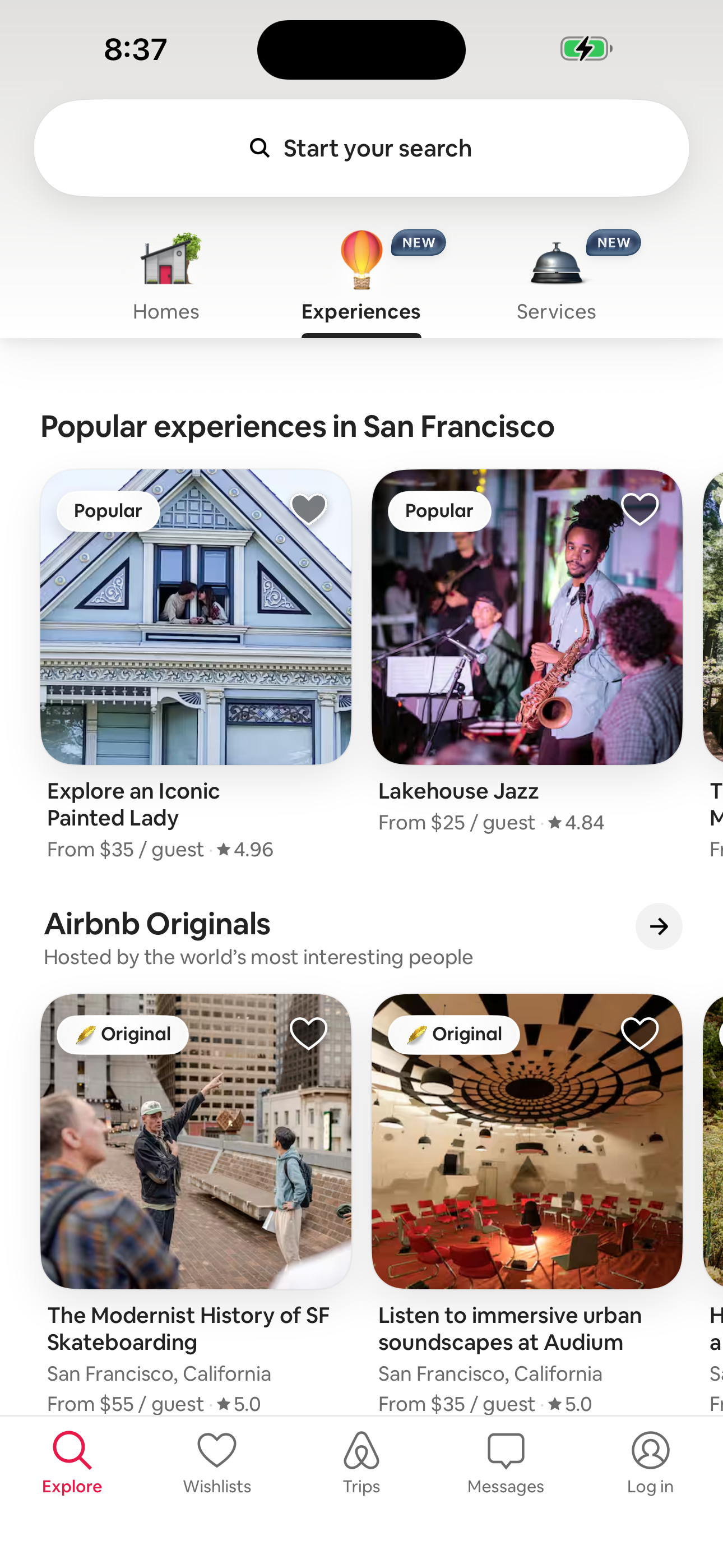
Airbnb Explore — Experiences tab screen in Explore — Logged Out (Home tab) to Experience Detail — Painted Lady flow
Explore — Experiences tab
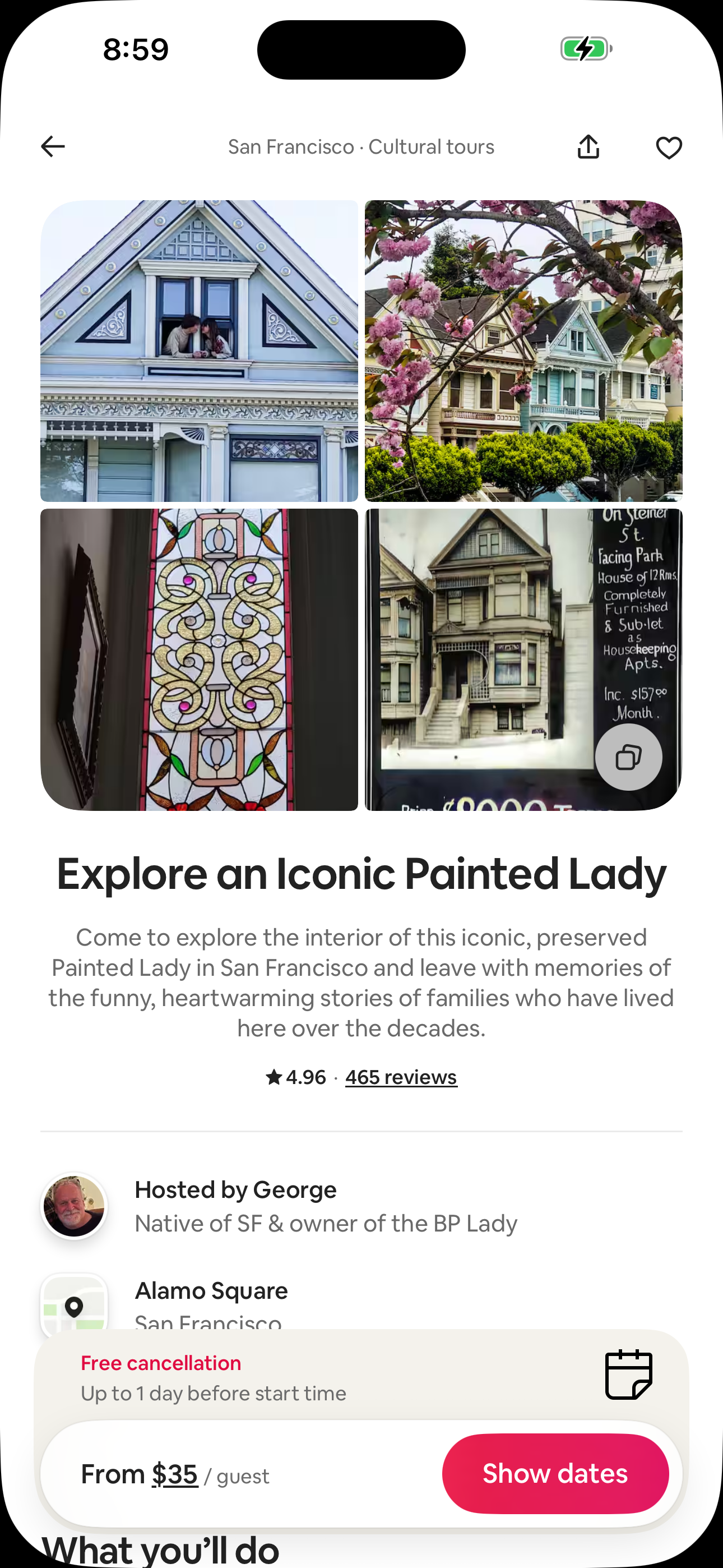
Airbnb Experience Detail — Painted Lady screen in Explore — Logged Out (Home tab) to Experience Detail — Painted Lady flow
Experience Detail — Painted Lady
  1. Explore — Logged Out (Home tab)
  2. Explore — Experiences tab
  3. Experience Detail — Painted Lady
02 path 3 screens

Explore — Logged Out (Home tab) to Search — Services

Airbnb's explore — logged out (home tab) to search — services flow moves users from Explore — Logged Out (Home tab) to Search — Services across 3 mapped iOS app screens. Use this path for mobile UX teardown work, QA coverage planning, and AI agent navigation context.
Airbnb Explore — Logged Out (Home tab) screen in Explore — Logged Out (Home tab) to Search — Services flow
Explore — Logged Out (Home tab)
Airbnb Explore — Services tab screen in Explore — Logged Out (Home tab) to Search — Services flow
Explore — Services tab
Airbnb Search — Services screen in Explore — Logged Out (Home tab) to Search — Services flow
Search — Services
  1. Explore — Logged Out (Home tab)
  2. Explore — Services tab
  3. Search — Services
03 path 3 screens

Explore — Logged Out (Home tab) to Service Detail — SF photoshoot

Airbnb's explore — logged out (home tab) to service detail — sf photoshoot flow moves users from Explore — Logged Out (Home tab) to Service Detail — SF photoshoot across 3 mapped iOS app screens. Use this path for mobile UX teardown work, QA coverage planning, and AI agent navigation context.
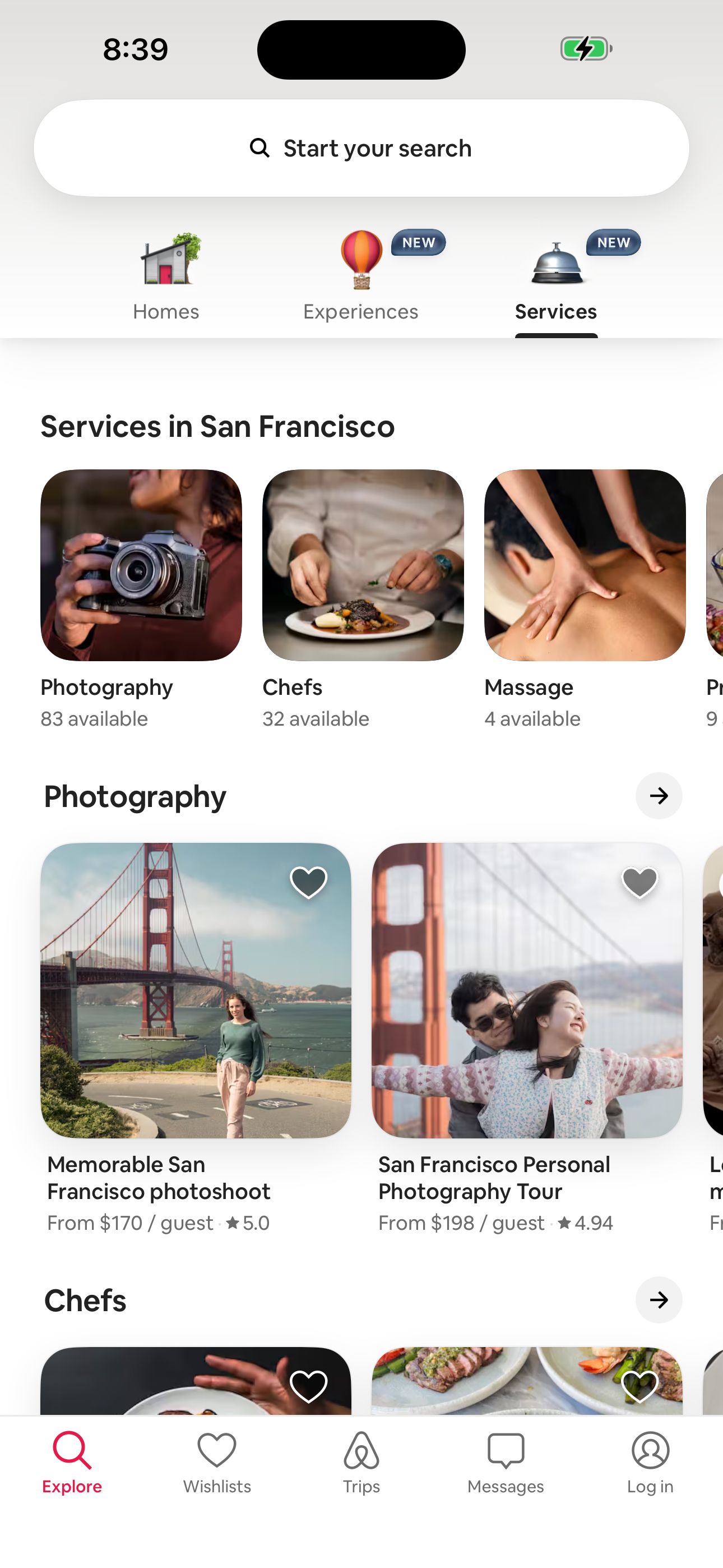
Airbnb Explore — Logged Out (Home tab) screen in Explore — Logged Out (Home tab) to Service Detail — SF photoshoot flow
Explore — Logged Out (Home tab)
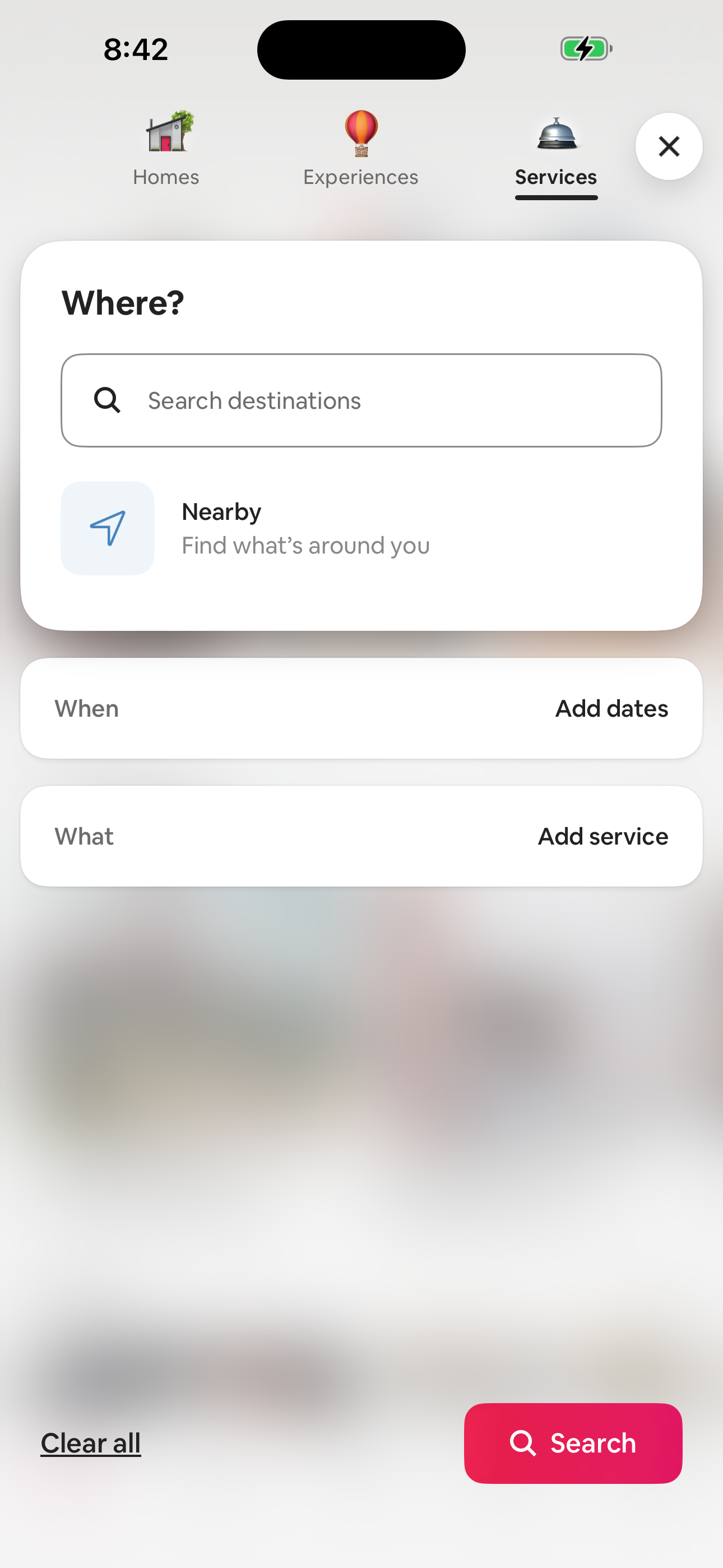
Airbnb Explore — Services tab screen in Explore — Logged Out (Home tab) to Service Detail — SF photoshoot flow
Explore — Services tab
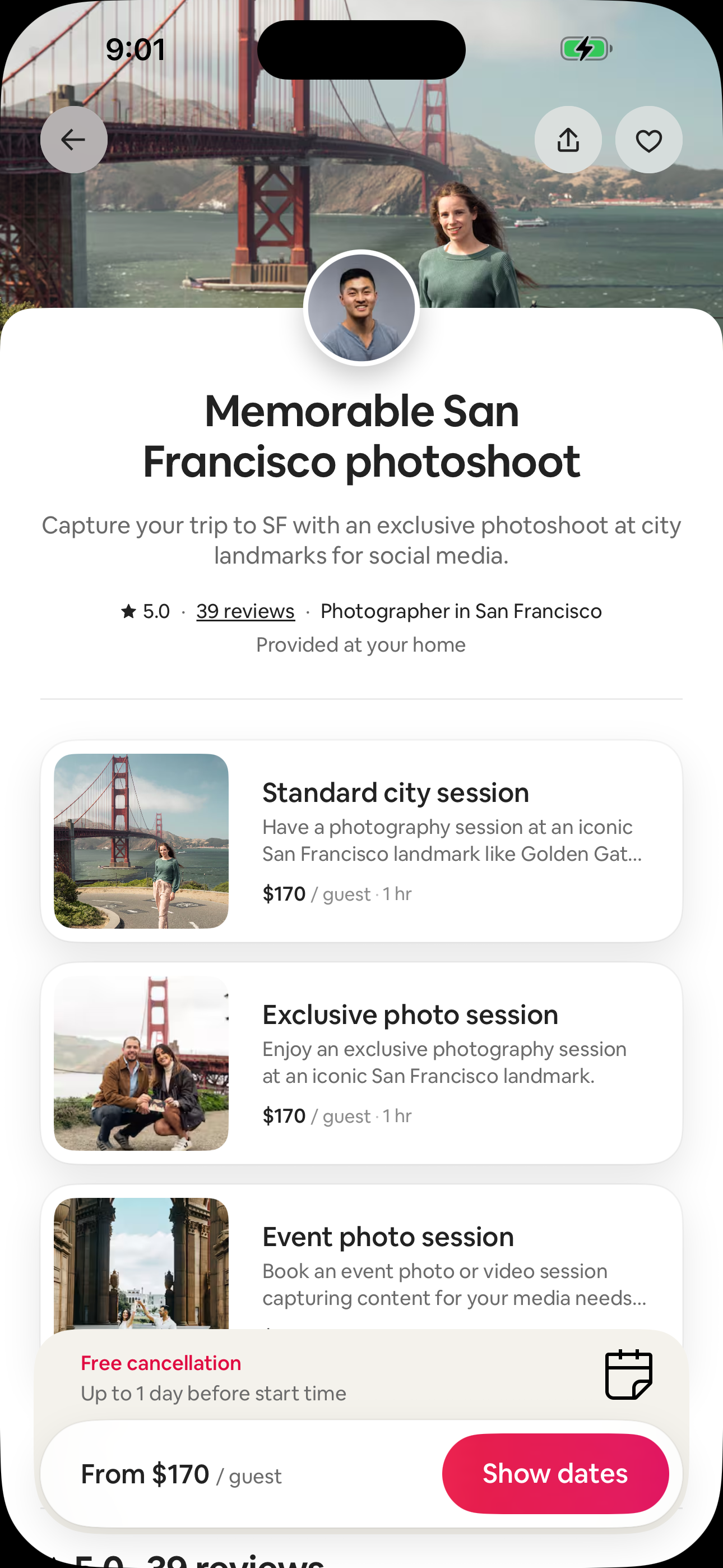
Airbnb Service Detail — SF photoshoot screen in Explore — Logged Out (Home tab) to Service Detail — SF photoshoot flow
Service Detail — SF photoshoot
  1. Explore — Logged Out (Home tab)
  2. Explore — Services tab
  3. Service Detail — SF photoshoot
04 path 3 screens

Explore — Logged Out (Home tab) to Log in or sign up — bottom sheet

Airbnb's explore — logged out (home tab) to log in or sign up — bottom sheet flow moves users from Explore — Logged Out (Home tab) to Log in or sign up — bottom sheet across 3 mapped iOS app screens. Use this path for mobile UX teardown work, QA coverage planning, and AI agent navigation context.
Airbnb Explore — Logged Out (Home tab) screen in Explore — Logged Out (Home tab) to Log in or sign up — bottom sheet flow
Explore — Logged Out (Home tab)
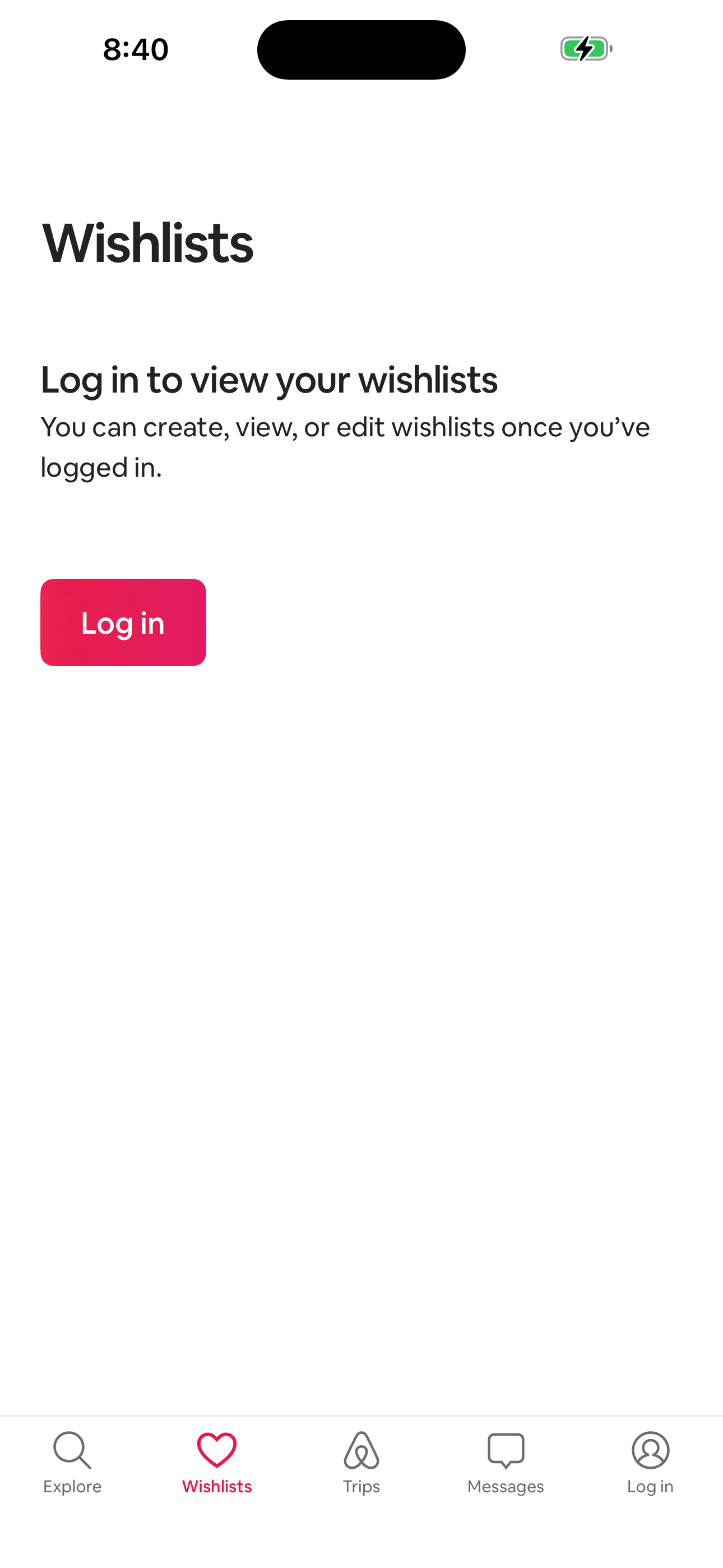
Airbnb Wishlists — Logged-out gate screen in Explore — Logged Out (Home tab) to Log in or sign up — bottom sheet flow
Wishlists — Logged-out gate
Airbnb Log in or sign up — bottom sheet screen in Explore — Logged Out (Home tab) to Log in or sign up — bottom sheet flow
Log in or sign up — bottom sheet
  1. Explore — Logged Out (Home tab)
  2. Wishlists — Logged-out gate
  3. Log in or sign up — bottom sheet
05 path 3 screens

Explore — Logged Out (Home tab) to Log in or sign up — bottom sheet

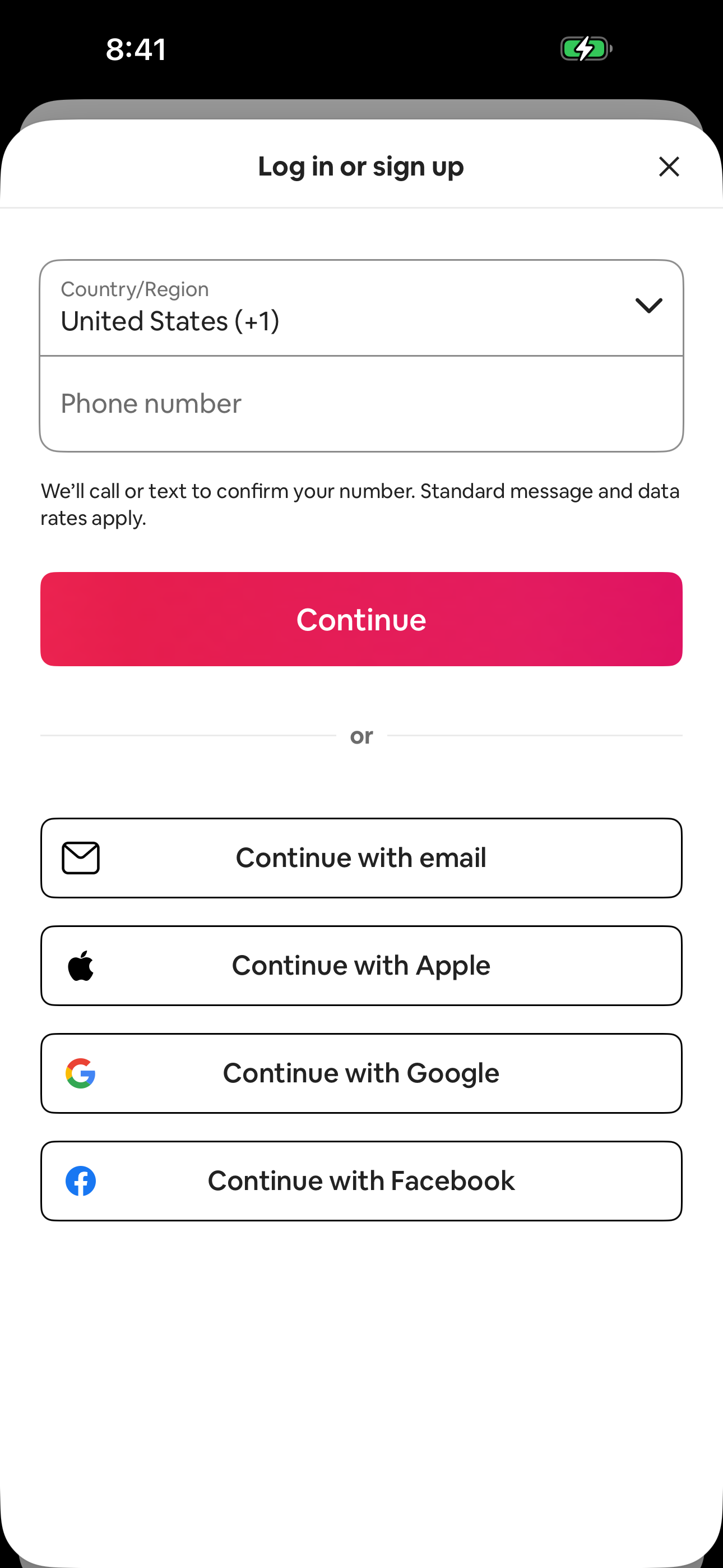
Airbnb's explore — logged out (home tab) to log in or sign up — bottom sheet flow moves users from Explore — Logged Out (Home tab) to Log in or sign up — bottom sheet across 3 mapped iOS app screens. Use this path for mobile UX teardown work, QA coverage planning, and AI agent navigation context.
Airbnb Explore — Logged Out (Home tab) screen in Explore — Logged Out (Home tab) to Log in or sign up — bottom sheet flow
Explore — Logged Out (Home tab)
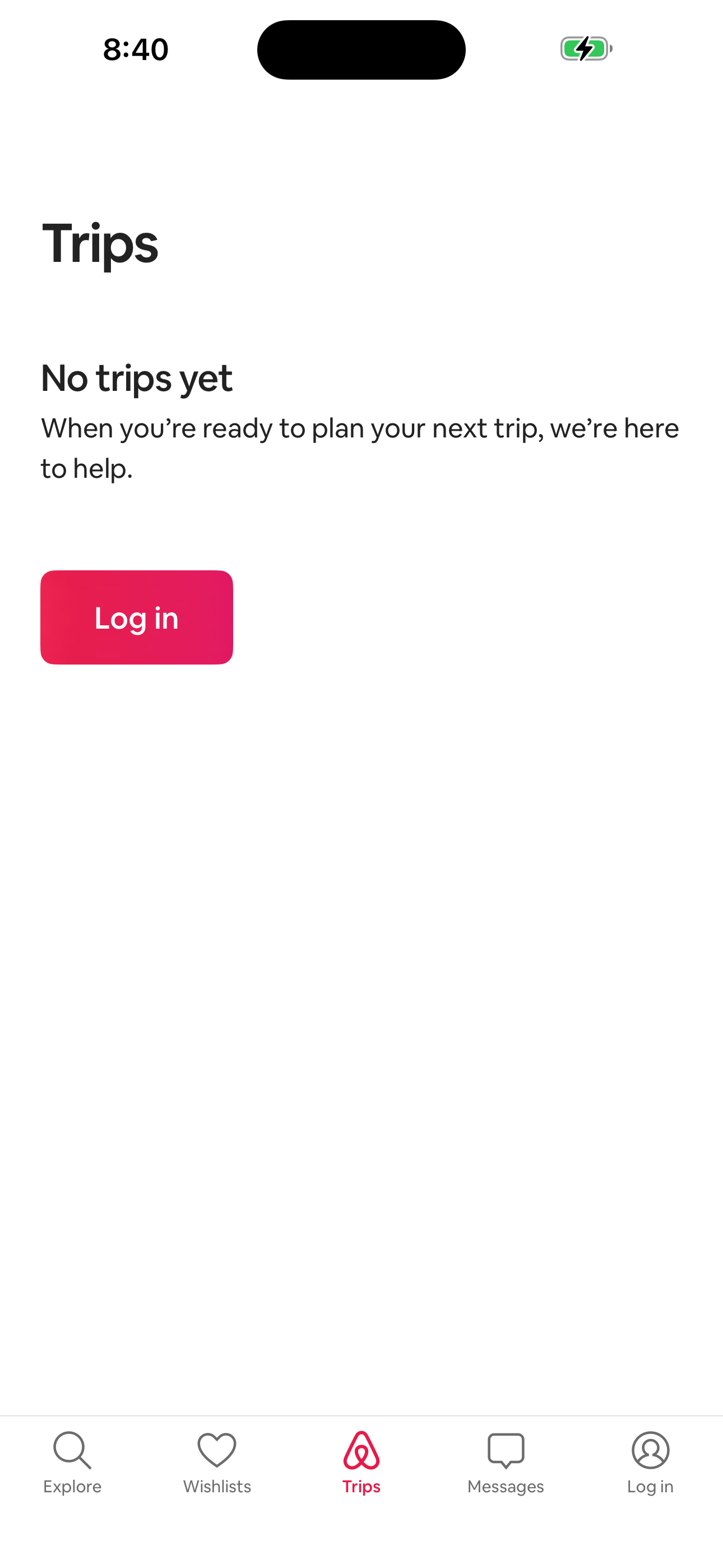
Airbnb Trips — Logged-out gate screen in Explore — Logged Out (Home tab) to Log in or sign up — bottom sheet flow
Trips — Logged-out gate
Airbnb Log in or sign up — bottom sheet screen in Explore — Logged Out (Home tab) to Log in or sign up — bottom sheet flow
Log in or sign up — bottom sheet
  1. Explore — Logged Out (Home tab)
  2. Trips — Logged-out gate
  3. Log in or sign up — bottom sheet
06 path 3 screens

Explore — Logged Out (Home tab) to Log in or sign up — bottom sheet

Airbnb's explore — logged out (home tab) to log in or sign up — bottom sheet flow moves users from Explore — Logged Out (Home tab) to Log in or sign up — bottom sheet across 3 mapped iOS app screens. Use this path for mobile UX teardown work, QA coverage planning, and AI agent navigation context.
Airbnb Explore — Logged Out (Home tab) screen in Explore — Logged Out (Home tab) to Log in or sign up — bottom sheet flow
Explore — Logged Out (Home tab)
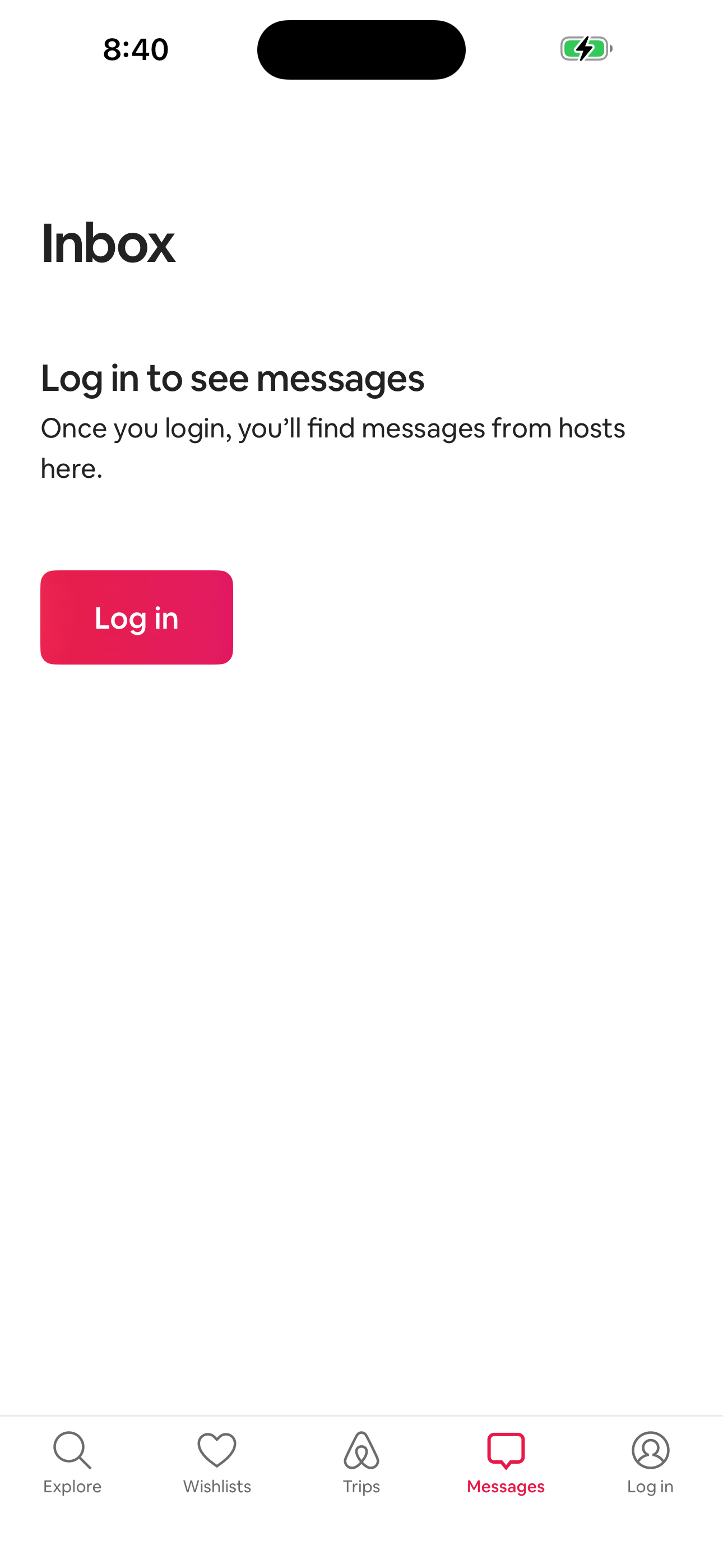
Airbnb Messages/Inbox — Logged-out gate screen in Explore — Logged Out (Home tab) to Log in or sign up — bottom sheet flow
Messages/Inbox — Logged-out gate
Airbnb Log in or sign up — bottom sheet screen in Explore — Logged Out (Home tab) to Log in or sign up — bottom sheet flow
Log in or sign up — bottom sheet
  1. Explore — Logged Out (Home tab)
  2. Messages/Inbox — Logged-out gate
  3. Log in or sign up — bottom sheet
07 path 3 screens

Explore — Logged Out (Home tab) to Log in or sign up — bottom sheet

Airbnb's explore — logged out (home tab) to log in or sign up — bottom sheet flow moves users from Explore — Logged Out (Home tab) to Log in or sign up — bottom sheet across 3 mapped iOS app screens. Use this path for mobile UX teardown work, QA coverage planning, and AI agent navigation context.
Airbnb Explore — Logged Out (Home tab) screen in Explore — Logged Out (Home tab) to Log in or sign up — bottom sheet flow
Explore — Logged Out (Home tab)
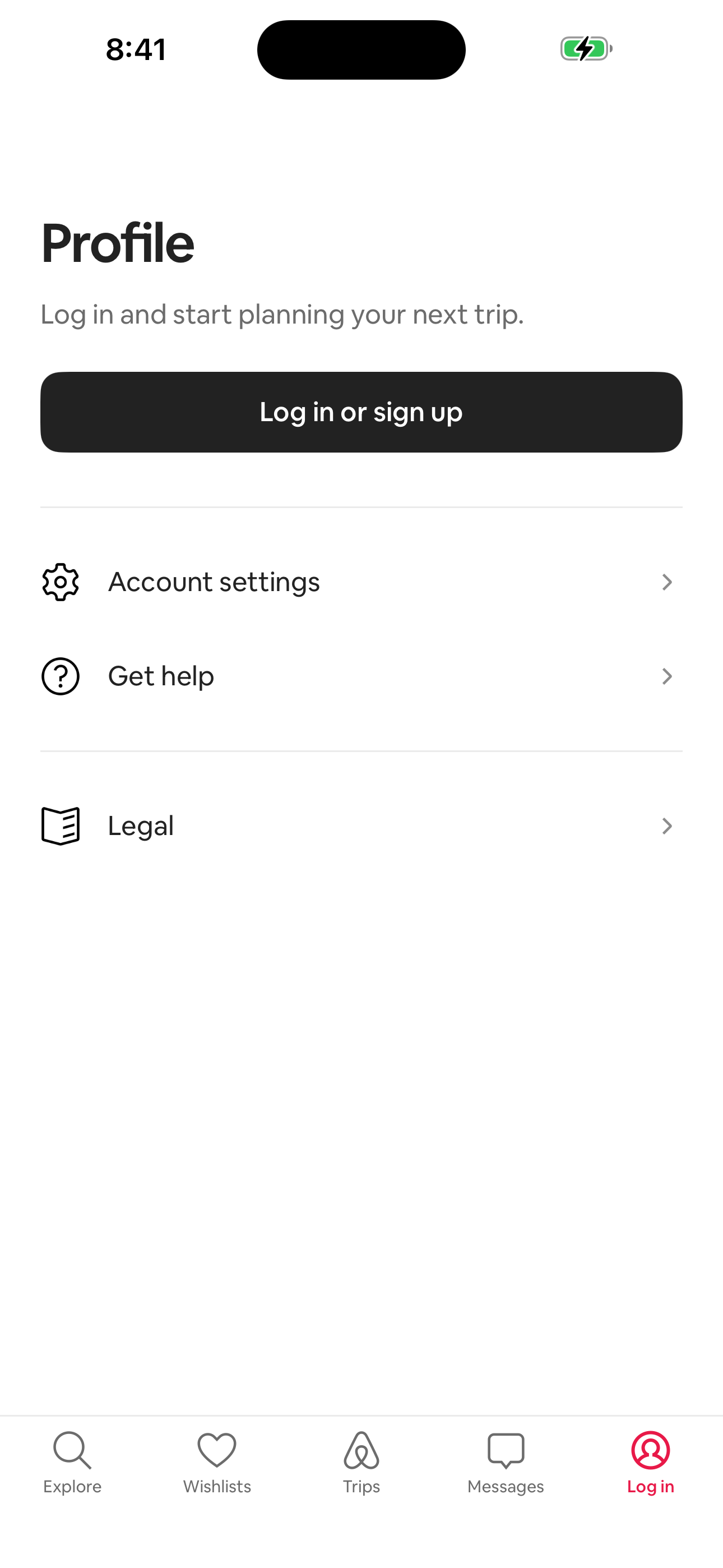
Airbnb Profile — Logged-out landing screen in Explore — Logged Out (Home tab) to Log in or sign up — bottom sheet flow
Profile — Logged-out landing
Airbnb Log in or sign up — bottom sheet screen in Explore — Logged Out (Home tab) to Log in or sign up — bottom sheet flow
Log in or sign up — bottom sheet
  1. Explore — Logged Out (Home tab)
  2. Profile — Logged-out landing
  3. Log in or sign up — bottom sheet
08 path 4 screens

Explore — Logged Out (Home tab) to Choose a currency

Airbnb's explore — logged out (home tab) to choose a currency flow moves users from Explore — Logged Out (Home tab) to Choose a currency across 4 mapped iOS app screens. Use this path for mobile UX teardown work, QA coverage planning, and AI agent navigation context.
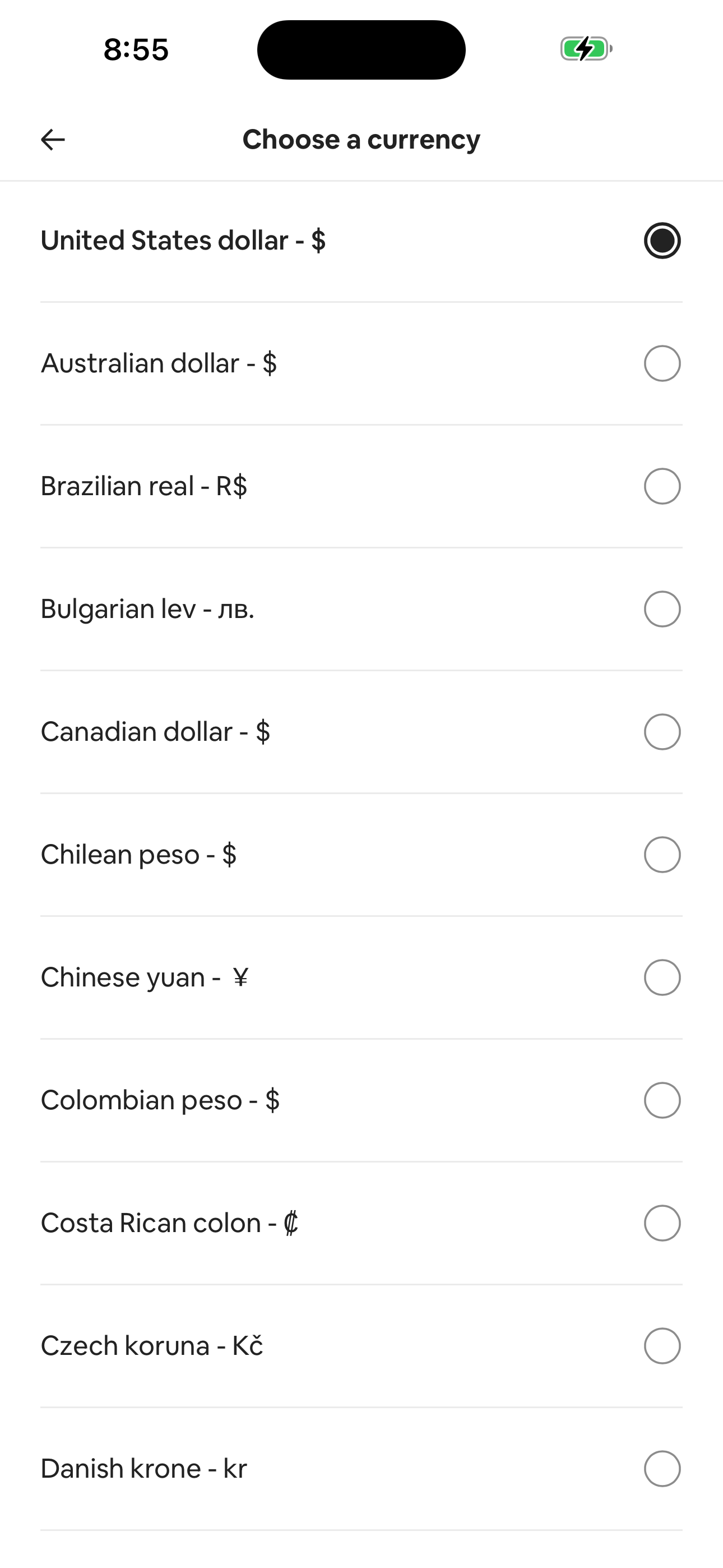
Airbnb Explore — Logged Out (Home tab) screen in Explore — Logged Out (Home tab) to Choose a currency flow
Explore — Logged Out (Home tab)
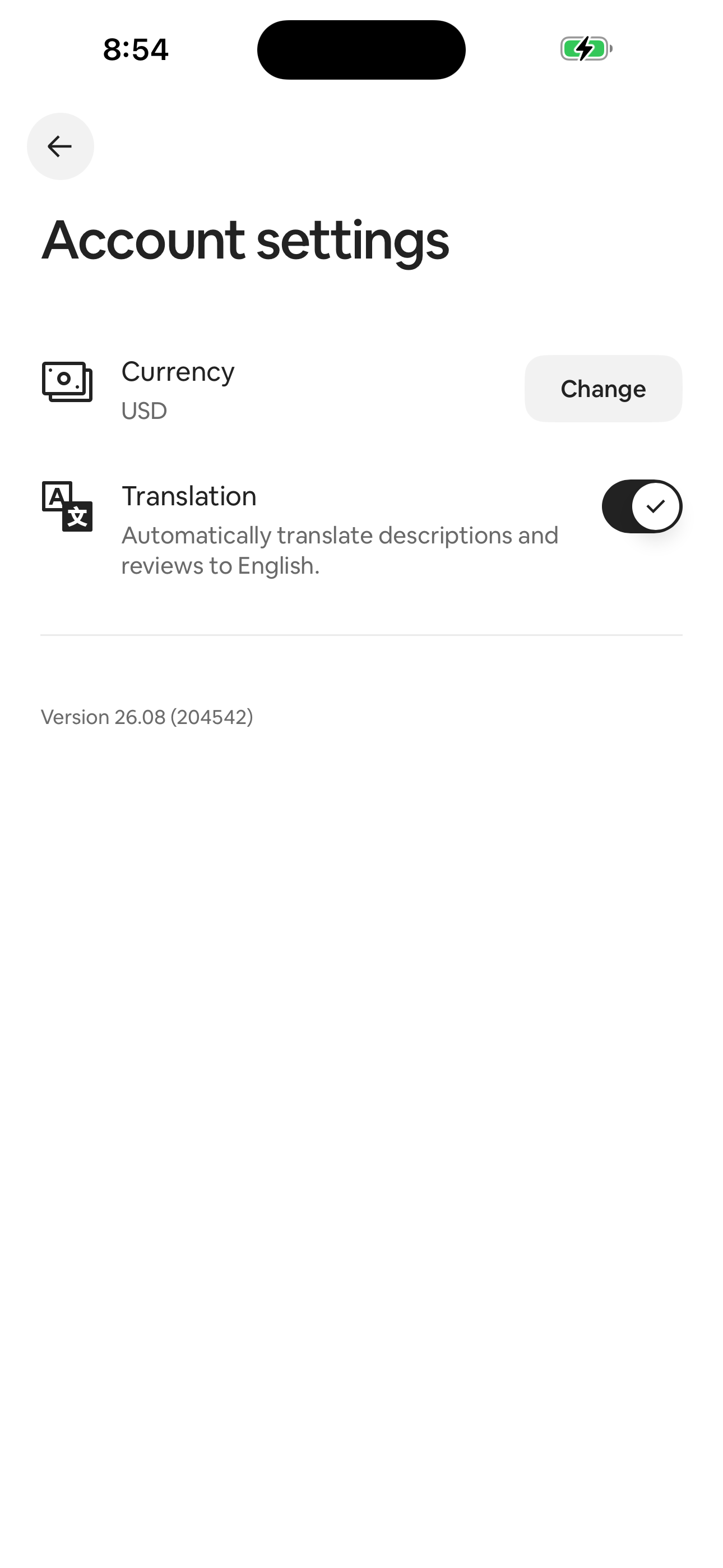
Airbnb Account settings (logged-out) screen in Explore — Logged Out (Home tab) to Choose a currency flow
Account settings (logged-out)
Airbnb Choose a currency screen in Explore — Logged Out (Home tab) to Choose a currency flow
Choose a currency
  1. Explore — Logged Out (Home tab)
  2. Profile — Logged-out landing
  3. Account settings (logged-out)
  4. Choose a currency

Screen inventory

High-density screens in the Airbnb app

UI inventory

Interface elements found by Atlas

69button65tab35icon32input28list item

Related maps

More mobile app screen maps