Bug Bazaar Shop Home to Edit Profile Modal flow
Passes through Account and Account Settings on iOS.
- Screens
- 4
- Platform
- iOS
- Starts at
- Shop Home
- Ends at
- Edit Profile Modal
Bug Bazaar · Shop Home to Edit Profile Modal
4 screens
Screen path
Bug Bazaar Shop Home to Edit Profile Modal step by step
A crawlable breakdown of one real Bug Bazaar journey. Each step lists the screen, the UI Atlas detected on it and the action that leads on, so you can compare it with other apps, plan QA coverage or hand it to an agent as navigation context.
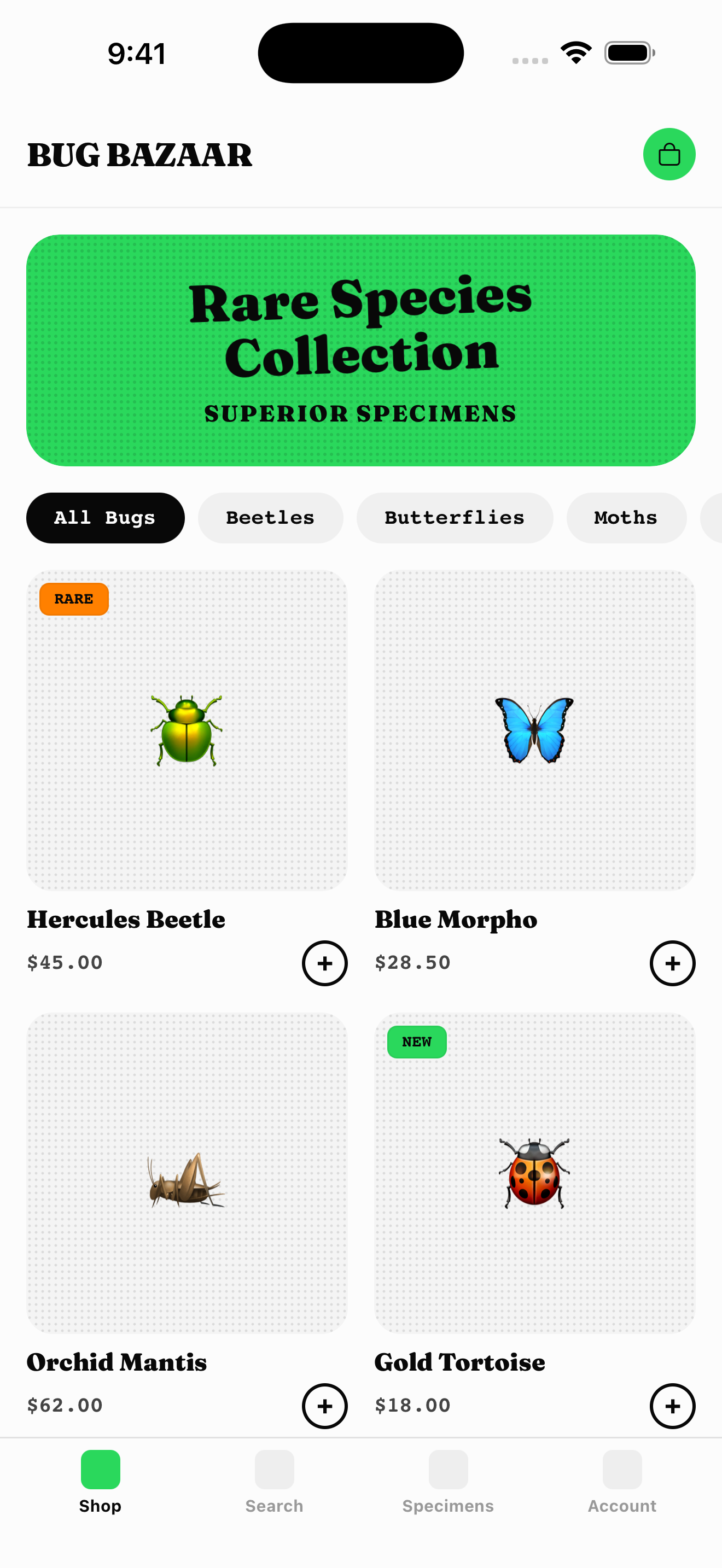 Step 01
Shop Home
Step 1 in the Bug Bazaar Shop Home to Edit Profile Modal flow. Atlas detected 13 UI elements on this screen.
- Cart
- All Bugs category
- Beetles category
- Butterflies category
- Moths category
- Hercules Beetle product
- Blue Morpho product
- Orchid Mantis product
Next: tap 'Account tab (bottom nav)'
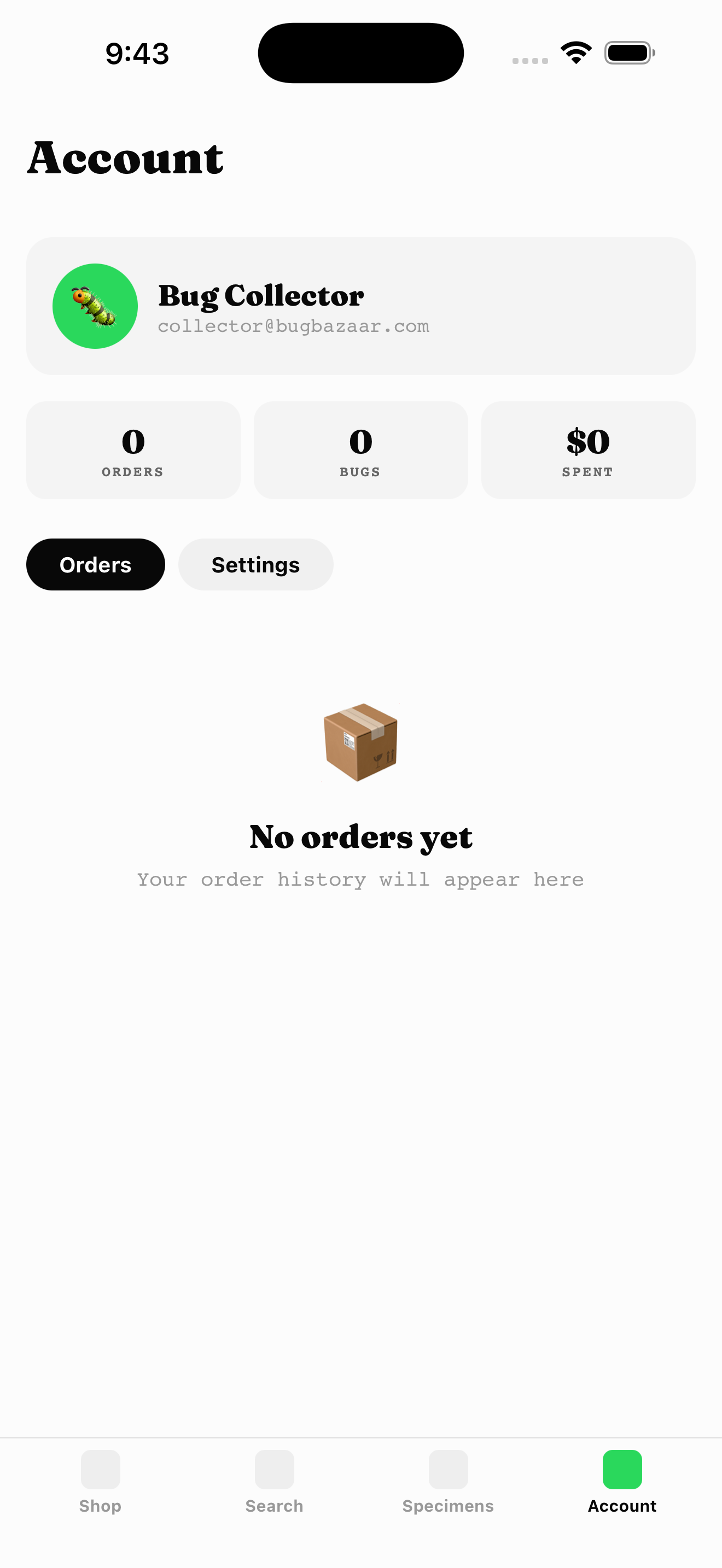 Step 02
Account
Step 2 in the Bug Bazaar Shop Home to Edit Profile Modal flow. Atlas detected 3 UI elements on this screen.
- Orders sub-tab
- Settings sub-tab
- Bug Collector profile section
Next: tap 'Settings sub-tab'
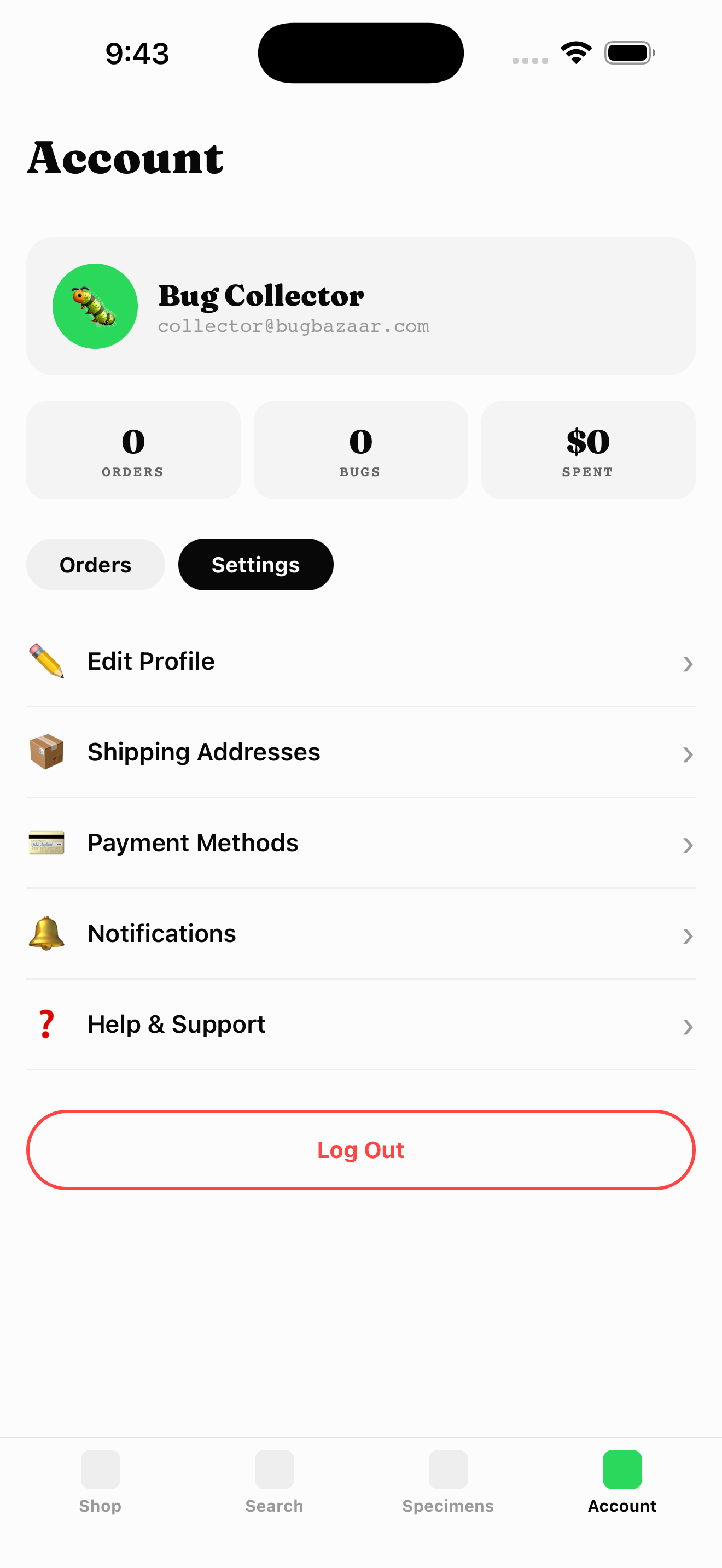 Step 03
Account Settings
Step 3 in the Bug Bazaar Shop Home to Edit Profile Modal flow. Atlas detected 6 UI elements on this screen.
- Edit Profile
- Shipping Addresses
- Payment Methods
- Notifications
- Help & Support
- Log Out
Next: tap 'Edit Profile row'
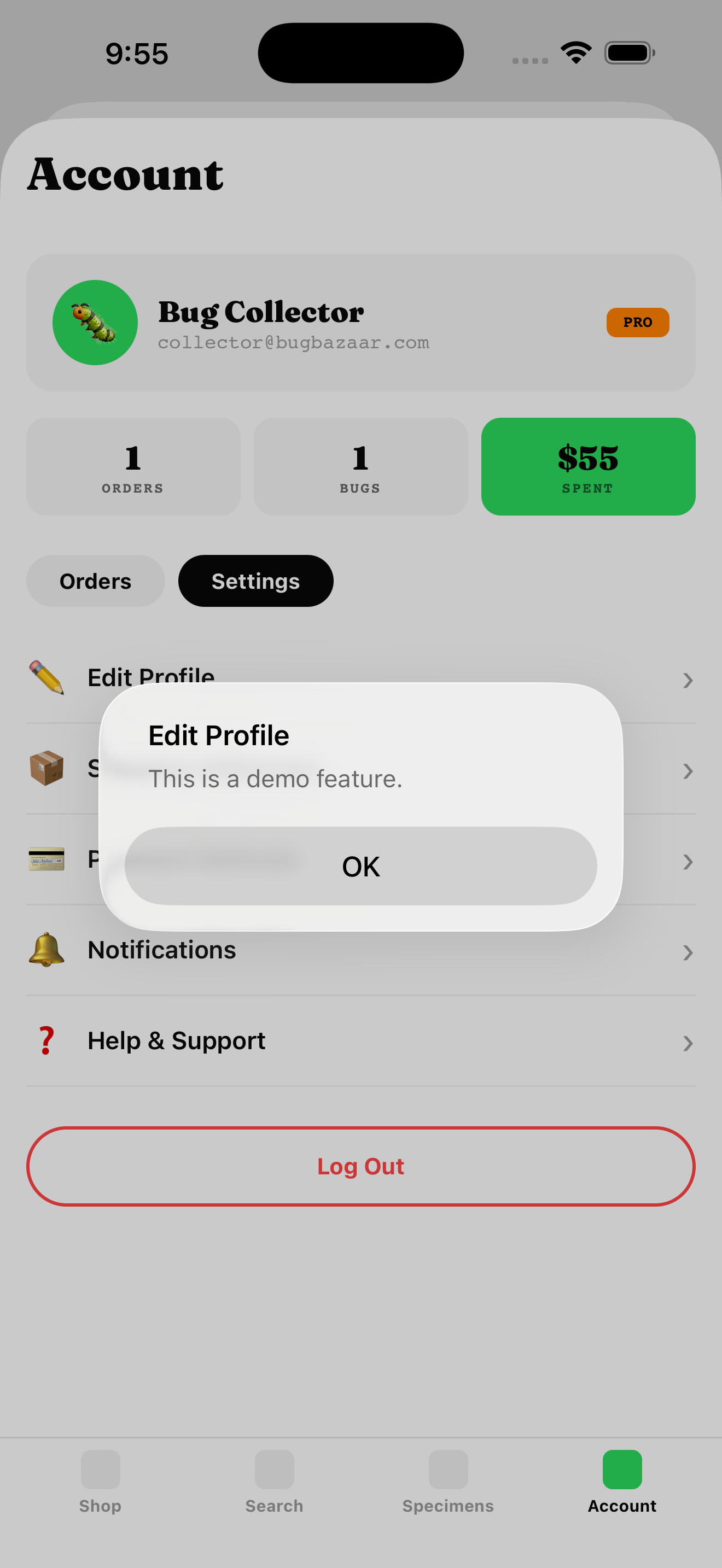 Step 04
Edit Profile Modal
Step 4 in the Bug Bazaar Shop Home to Edit Profile Modal flow. Atlas detected 1 UI element on this screen.
- Ok
Research notes
Why the Bug Bazaar Shop Home to Edit Profile Modal flow matters
One observed path answers three questions: how the app routes people, what to test and what an agent needs to know.
Navigation pattern
This flow shows how Bug Bazaar carries a user from Shop Home to Edit Profile Modal across real app states.
Testing coverage
The screen path gives QA and product teams concrete screens to verify, including visible UI density, transition order and repeated mobile states.
Agent grounding
Atlas makes this journey usable as navigation context for AI agents that need to understand the app before executing mobile tasks.
Want more maps?
The full Atlas gallery and private app maps are included on Free.
How to use it
Apply this flow to product and testing work
For product research
Use the ordered path to see which screens appear before and after key actions, how much interface the user faces, and where the app adds extra decisions or interruptions.
For QA planning
Turn each screen in the path into a coverage checkpoint. The sequence helps teams verify expected states, transitions and UI inventory without rediscovering the journey by hand.
FAQ
Questions about this flow
What screens are in the Bug Bazaar Shop Home to Edit Profile Modal flow?
This Atlas flow includes Shop Home, Account, Account Settings, Edit Profile Modal.
What can teams learn from this Bug Bazaar flow?
The flow helps teams inspect real mobile app navigation, compare product patterns, plan QA coverage, and give AI agents reliable app context.
Related flows
More Bug Bazaar mobile app journeys
Build your runtime source of truth
Connect Revyl tests and live sessions, observe your app in motion, and turn those runs into an Atlas map.