
October 16, 2026
Atlas Chat and build branches
You can now ask Atlas about your app and get answers tied to the exact screens. Builds also get branches, and the web app works on your phone.
This release also adds app icons and an App settings page, breadcrumbs on nested pages, and build caches in your home folder.
Atlas Chat
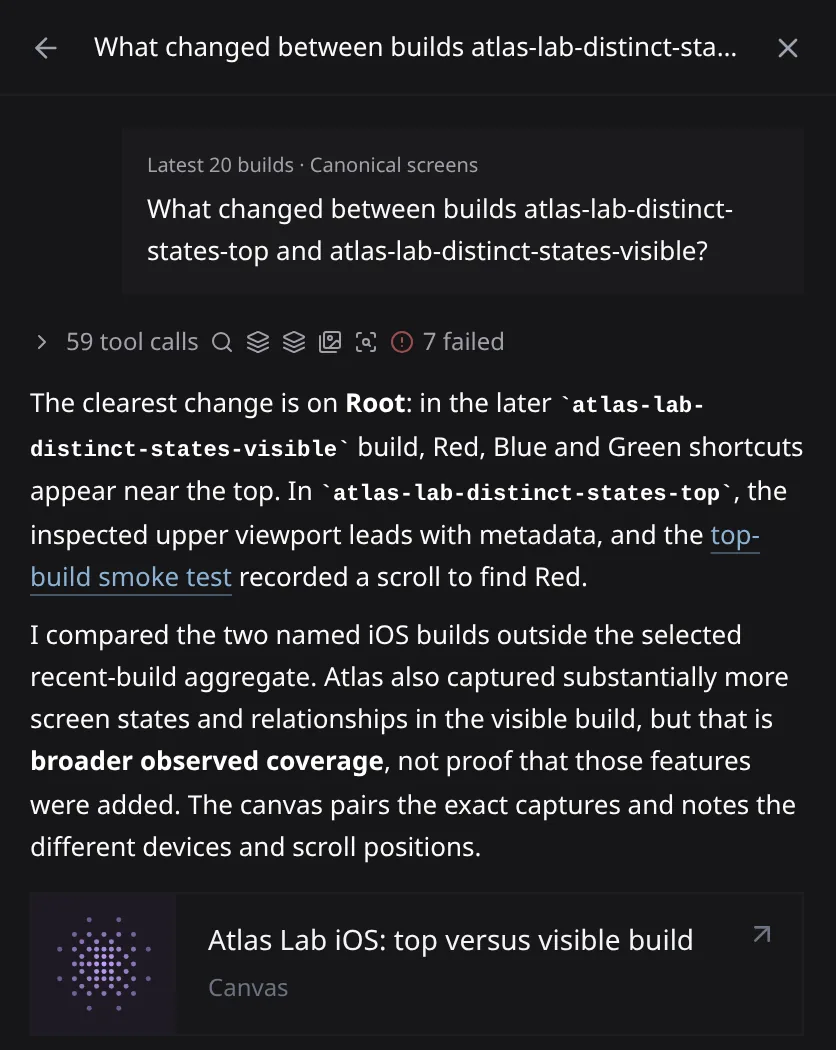
Ask a question from the bar on your Atlas map. It reads your screens, builds, tests, and reports, and links its answer to the exact captures. Use it to find issues, explore flows, or compare two builds. Findings open as a canvas you can share.
Atlas Chat is rolling out now. If you don’t see it yet, ask us to turn it on for your team.
Build branches
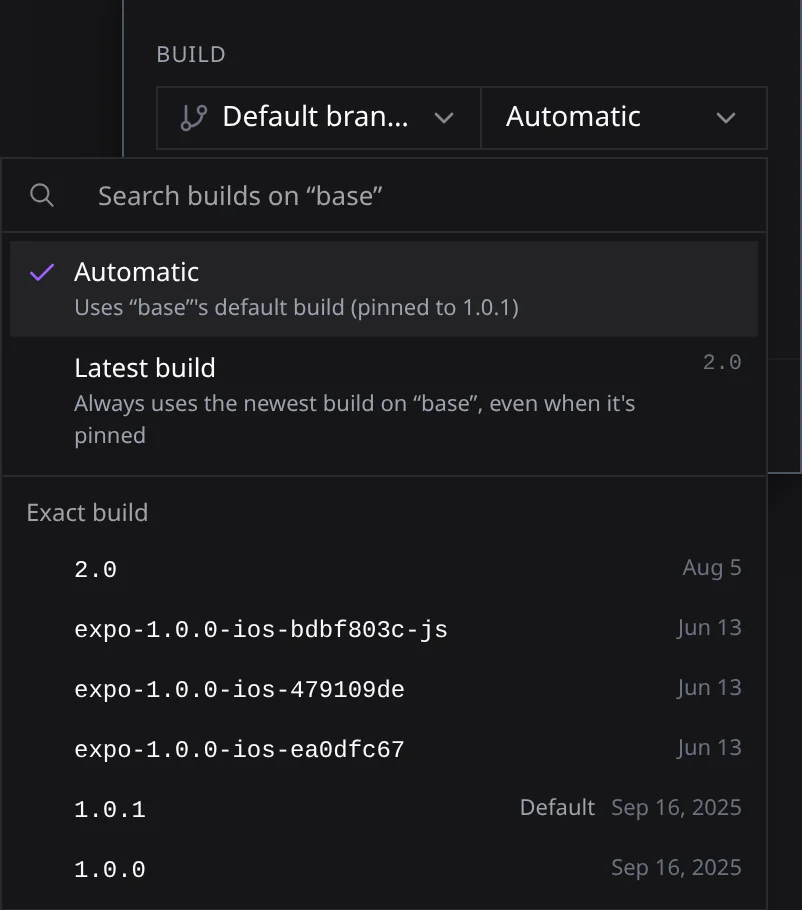
Open Build branches in your app’s settings to create branches and set each one’s default build. When you start a run, pick a branch, then Automatic, Latest build, or an exact build. From the CLI, pass --branch.
Revyl on your phone
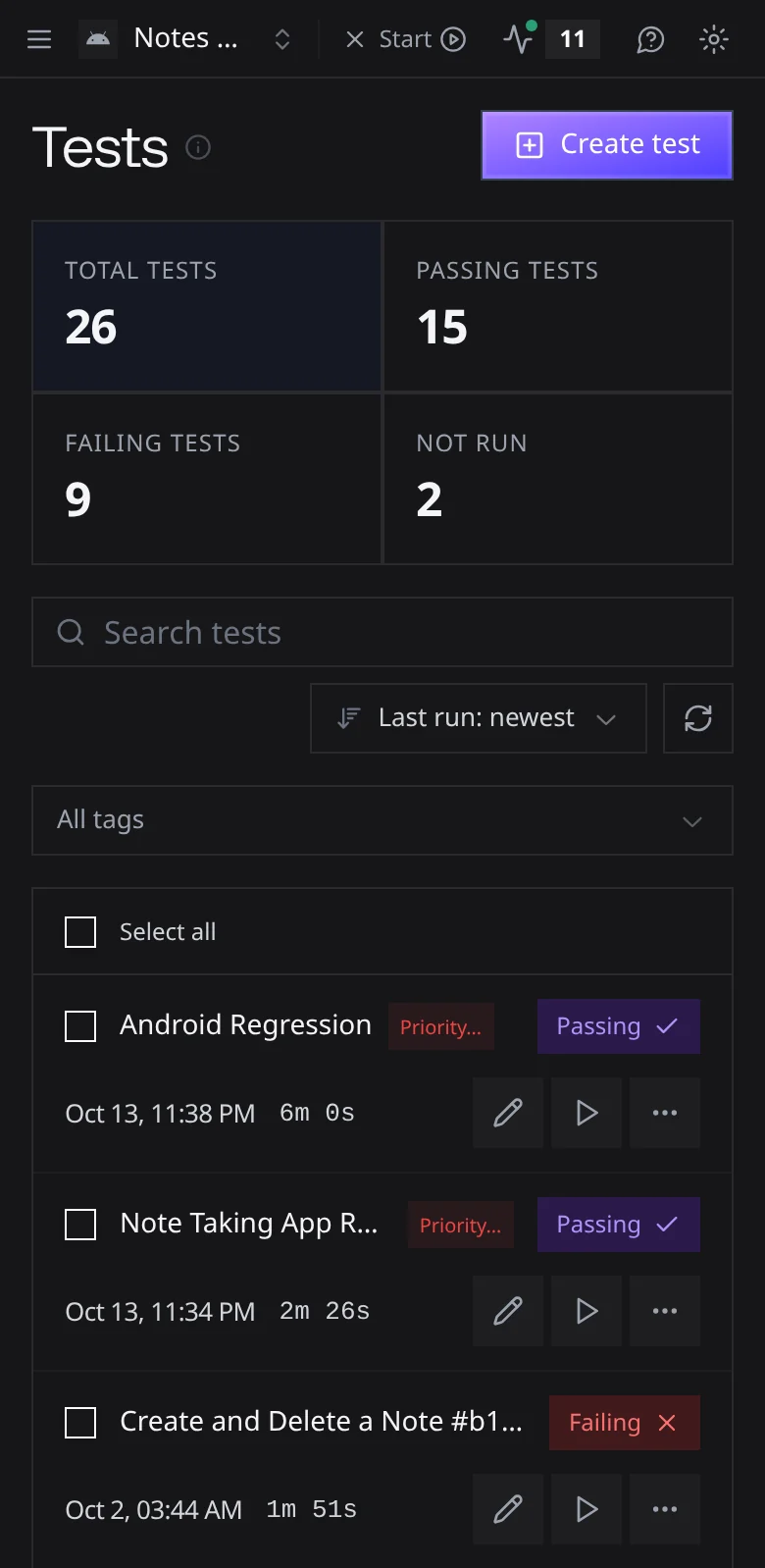
Every screen in the web app now fits a phone. Lists stack into cards, dialogs open as bottom sheets, and controls are sized for touch.
Atlas filters for device and runtime
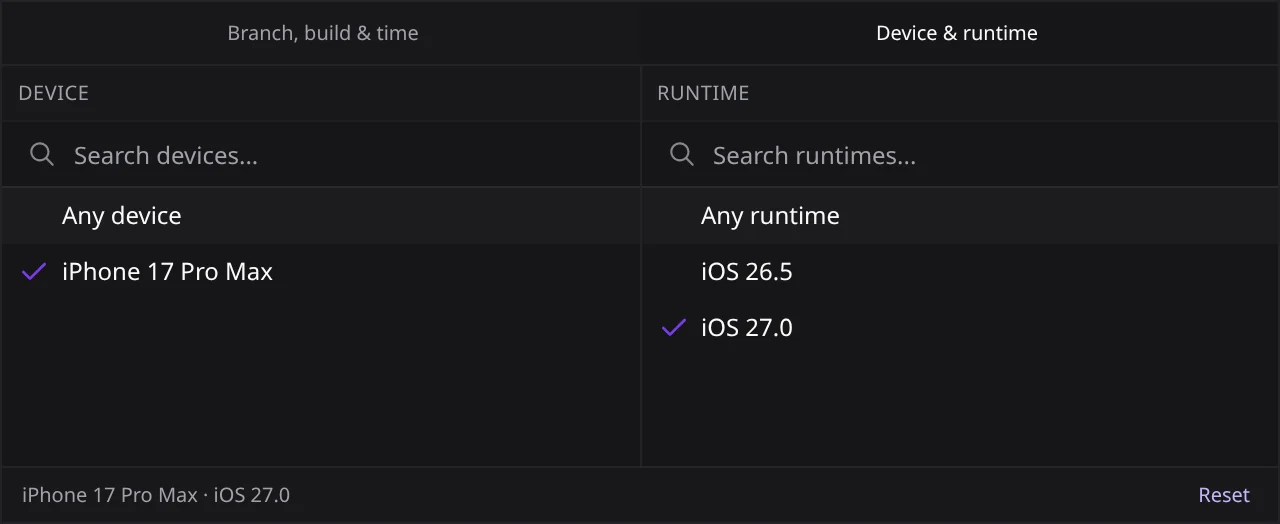
Filter an Atlas map by device model and OS from the Device & runtime panel in the scope control. The filter stays in the URL, so you can share it. Run again on an exploration report now fills in the previous run’s settings.
Other fixes
Dragging a large .app folder into an upload no longer drops files. Remote builds that need Git credentials fail right away instead of waiting until they time out. Findings show again on reports linked to an exploration. Signing in again takes you back to the link you opened. The CLI no longer creates a duplicate run when a response is lost.